
Go to MemberSutra → Notifications. Every e-mail the plugin sends is listed here with who receives it and whether it is in use.

The e-mails #
- Membership Emails – Welcome / membership activated, Membership approved, cancelled, paused, resumed, expiring soon, Low credit balance.
- Account & Registration Emails – Email Verification, Admin: New Registration Awaiting Approval, Account Approved. These are used only when Settings → Security & Login → New User Approval asks for verification or approval.
- Membership Lifecycle Emails – Membership Expired.
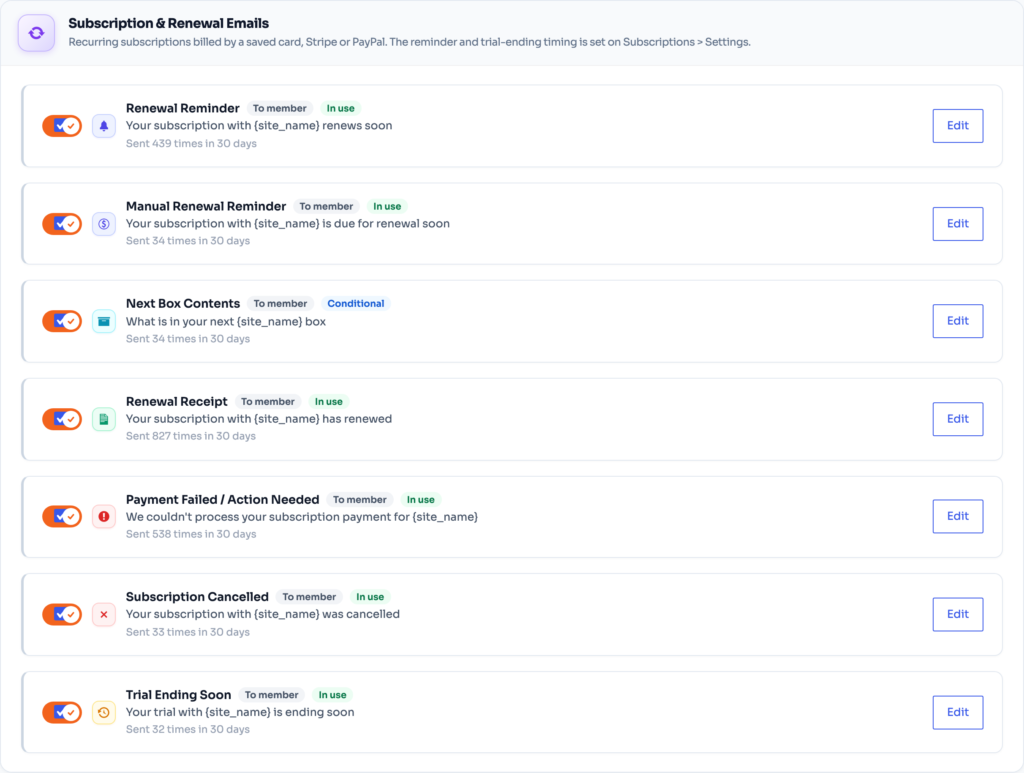
- Subscription & Renewal Emails – Renewal Reminder, Manual Renewal Reminder, Next Box Contents, Renewal Receipt, Payment Failed / Action Needed, Subscription Cancelled, Trial Ending Soon.
- Credit Emails – low-balance warnings and possible-abuse flags for download credits.
Edit an e-mail #
- Use the filters (All, On, Off, To members, To admins) or the search box to find it.
- Click Edit, change the subject and the text. Merge tags such as the member name and plan are listed next to the editor.
- Click Send to send a test to yourself.
- Click Save notifications.
Timing #
- “Expiring” status starts at – how many days before the end a membership counts as expiring and its e-mail goes out.
- Check for these every – Hour, Twice a day or Day.
- Renewal reminder and trial-ending timing is set on Subscriptions → Settings → Reminder e-mails.
ℹ️ Good to know: Reset All Templates puts every e-mail back to the original wording.
⚠️ Important: E-mails go out through your site’s mail setup. If members do not receive them, install an SMTP plugin and send a test from this screen.


