
Go to FW Memberships → Settings → Security & Login.
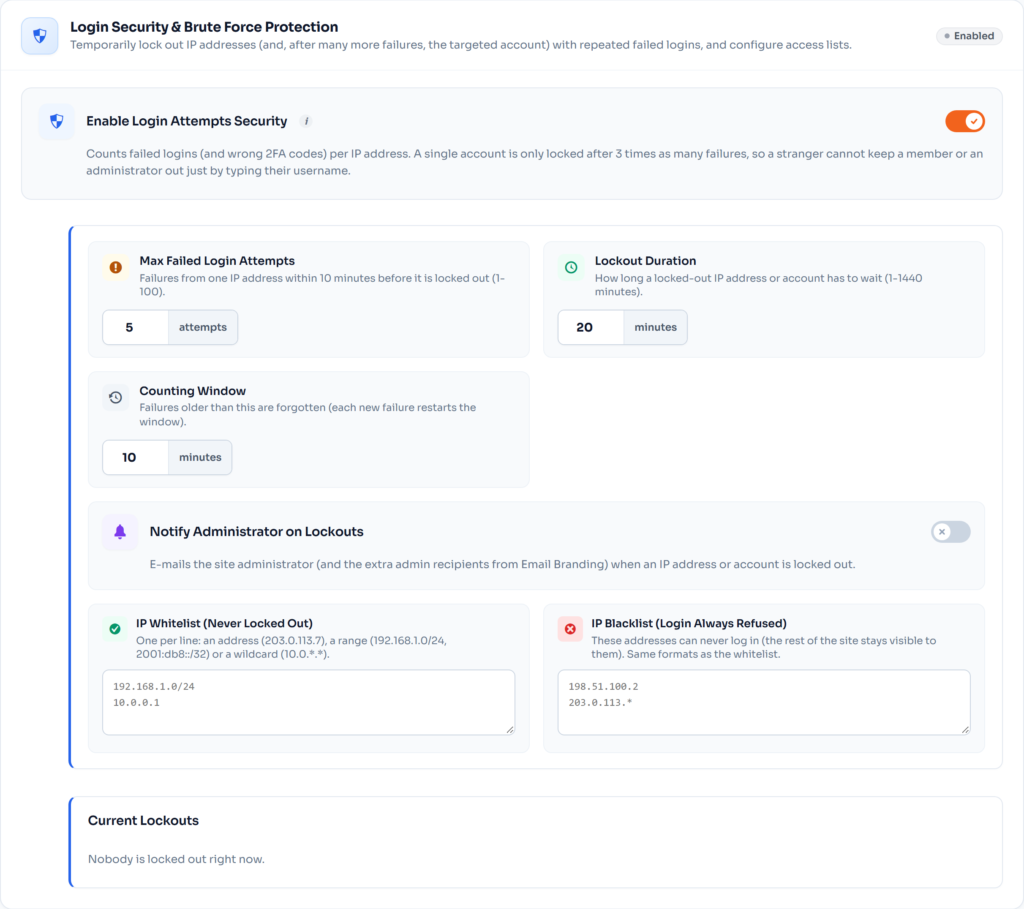
Login Security & Brute Force Protection #
- Turn on Enable Login Attempts Security.
- Set Max Failed Login Attempts, the Lockout Duration and the Counting Window.
- Optionally turn on Notify Administrator on Lockouts.
- Add your office or VPN address to IP Whitelist (Never Locked Out), and abusive addresses to IP Blacklist. Single addresses, ranges (192.168.1.0/24) and wildcards (10.0.*.*) work.
Current Lockouts lists locked IP addresses and accounts – click Unlock or Unlock all.
Registration & Signup Restrictions #
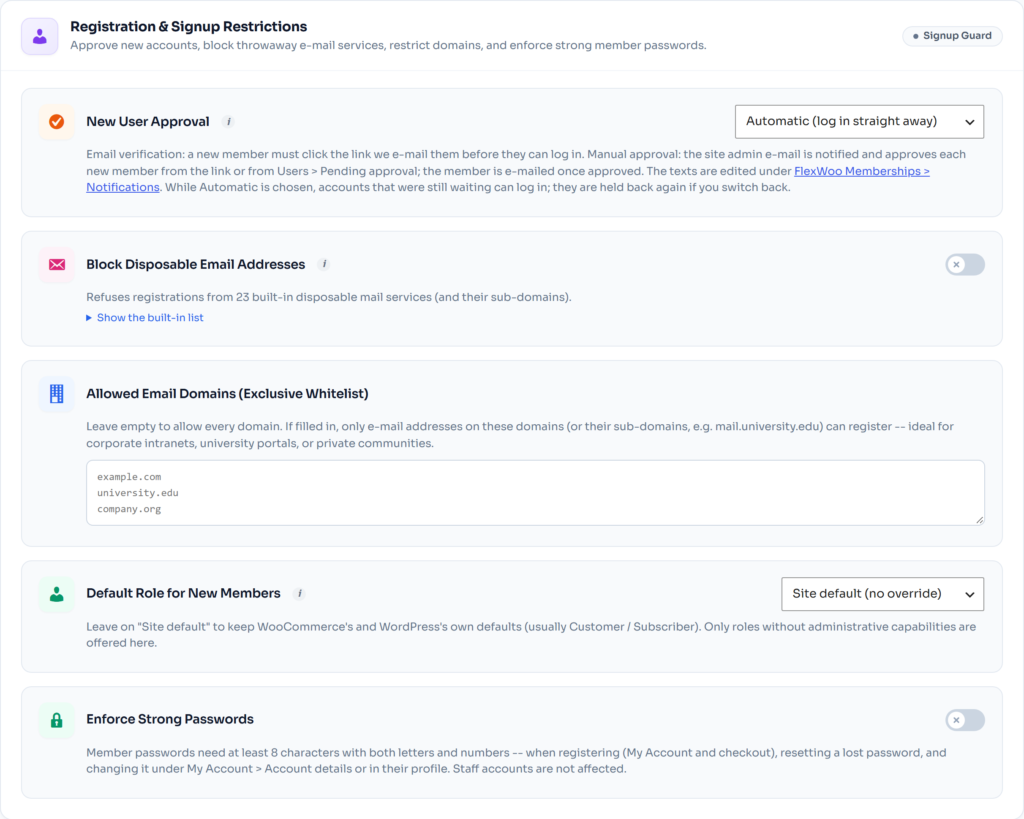
- New User Approval – Automatic, Email verification, or Manual approval by an administrator.
- Block Disposable Email Addresses – refuses throwaway mail services; add your own under Also Block These Domains.
- Allowed Email Domains – only these domains may register (useful for company or school memberships).
- Default Role for New Members.
- Enforce Strong Passwords.
⚠️ Important: Add your own IP address to the whitelist before testing lockouts, so you cannot lock yourself out.