
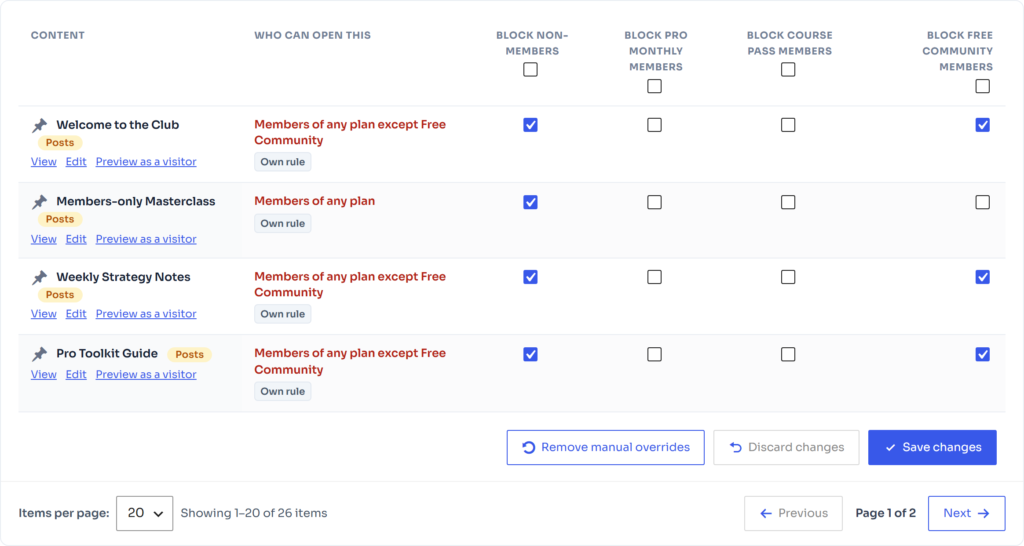
Go to FW Memberships → Content Restriction → Access Rules. Each row is a piece of content; the Who can open this column shows the result of your plans and rules.
Change access for one item #
- Find the item (filter by type or search).
- Tick Block non-members to make it members-only, or block the members of a specific plan.
- Click Save changes.
Changes you make here are manual overrides on top of what your plans unlock. Remove manual overrides returns selected items to the plan settings; Discard changes drops edits you have not saved.
💡 Tip: Use the table to double-check a new plan: every item the plan should unlock must show that plan under Who can open this.