

“How is the membership doing?” is a surprisingly hard question to answer. Revenue this month went up, but was that new members, or annual renewals landing? You have more members than last quarter, but are they staying? The bank balance does not tell you.
A handful of membership metrics do. This guide explains MRR, ARR, churn, ARPU and LTV in plain language, with formulas and a worked example, and shows which ones to check monthly and what to do when they move.
Key takeaways

MRR: Monthly Recurring Revenue
MRR is the monthly value of all your active subscriptions. Monthly plans count at their price; annual plans count at one twelfth of their price; one-off sales do not count at all. MRR smooths out the lumpiness of annual renewals and tells you what your membership earns in a typical month.
Example: 300 members on $20 a month and 60 members on $180 a year. MRR = 300 × $20 + 60 × $15 = $6,900.
Track the four MRR movements
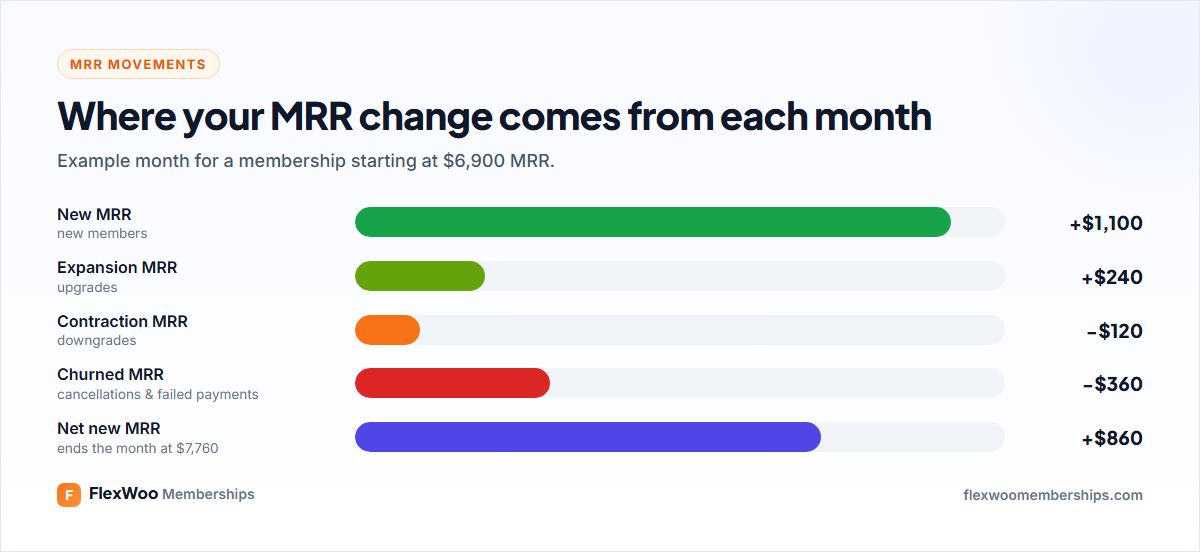
Total MRR hides what is happening underneath. Split each month’s change into new MRR (new members), expansion (upgrades), contraction (downgrades) and churned MRR (cancellations and failed payments). If churned MRR is creeping up while new MRR is flat, you have a retention problem that a marketing push will only mask.
ARR: Annual Recurring Revenue
ARR is MRR × 12. In the example, $6,900 × 12 = $82,800. It is the same information as MRR at a different scale, useful when you mostly sell annual plans or talk about the business with investors or a bank.
Churn Rate
Churn rate is the share of members who leave in a period. Monthly churn = members lost this month ÷ members at the start of the month. If you started with 360 members and 18 left, churn is 5%.
Measure two flavours if you can:
And split voluntary churn (people who chose to cancel) from involuntary churn (failed payments). They need different fixes. Our guides to reducing churn and recovering failed payments cover both.
Why churn matters so much: at 5% monthly churn you lose about 46% of your members in a year. At 2%, about 22%. That difference decides whether your membership grows or runs to stand still.
ARPU: Average Revenue Per User
ARPU is MRR divided by active members: $6,900 ÷ 360 = $19.17. Watch it when you change prices, add tiers or push annual plans. Rising ARPU with steady churn is healthy growth.
LTV: Customer Lifetime Value
LTV estimates how much an average member pays you over their whole membership. The simple formula is ARPU ÷ monthly churn rate: $19.17 ÷ 0.05 = $383. In other words, the average member stays about 20 months and pays about $383.
LTV is what tells you how much you can spend to win a member. If it costs you $60 in ads to get one, an LTV of $383 is comfortable. If it costs $300, you are cutting it close, especially once payment fees and support time come in. Lowering churn is the fastest way to raise LTV: drop churn from 5% to 4% and LTV in the example rises from $383 to $479.
Other Numbers Worth Watching
| Metric | What it tells you |
|---|---|
| Trial-to-paid conversion | How well trials turn into paying members |
| Failed payment rate | How many renewals fail on the first attempt |
| Recovery rate | How many failed renewals you win back |
| Active members | People with access right now, not everyone who ever joined |
| Revenue by gateway | Whether one payment method fails or costs more than others |
Where to Find These Numbers in WordPress
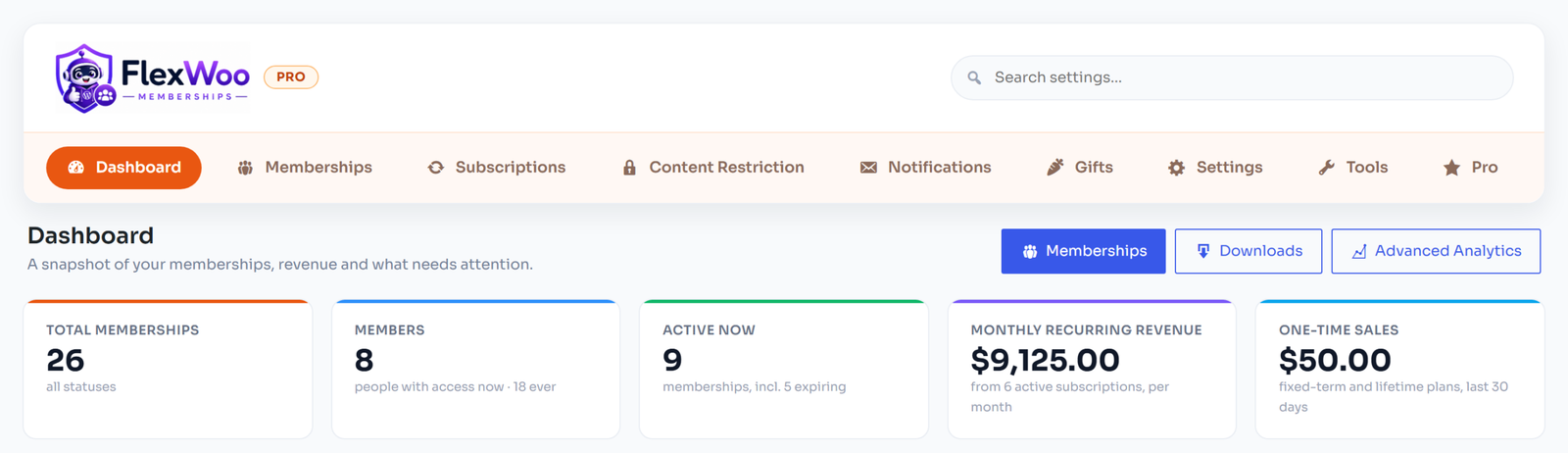
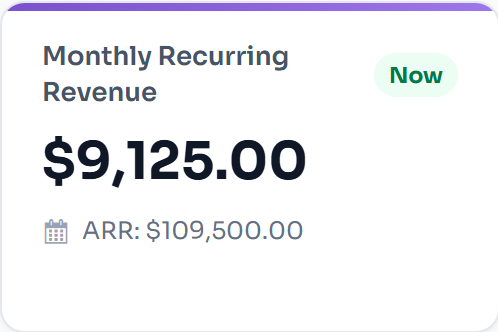
In FlexWoo Memberships, the Dashboard shows total and active memberships, monthly recurring revenue from active subscriptions, one-time sales, new, cancelled and expired memberships this month, and memberships ending soon. A summary also appears on the main WordPress dashboard.
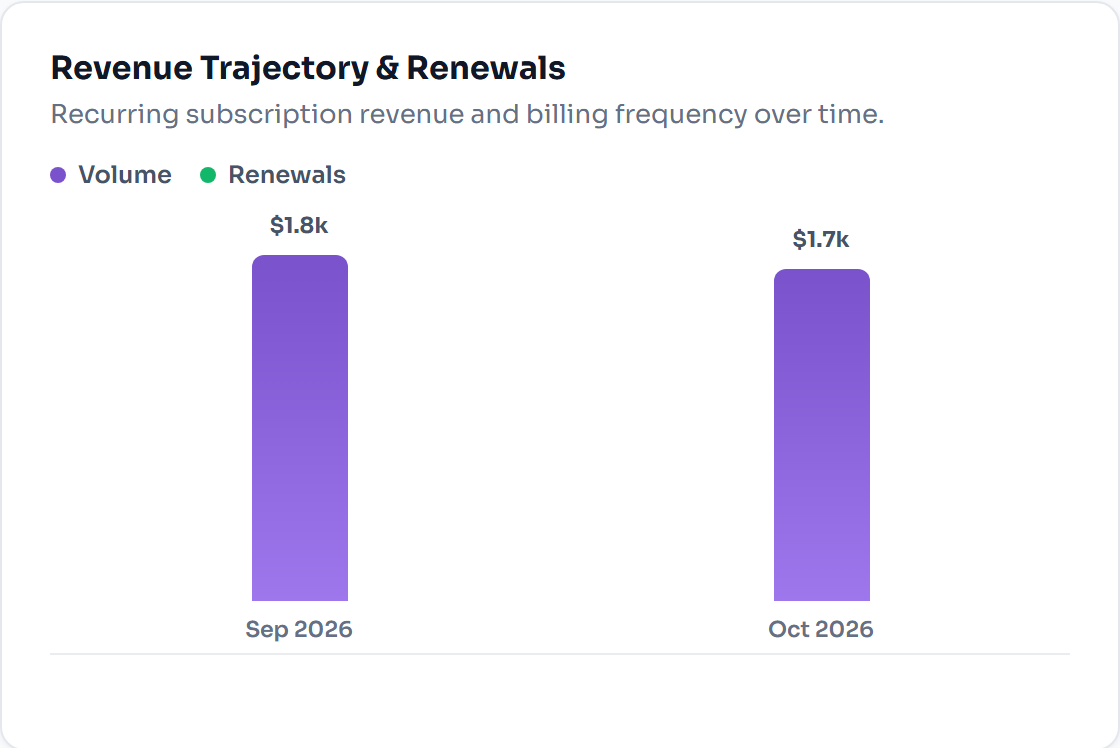
Advanced Analytics in Pro adds MRR and ARR, churn, subscriber lifetime value, revenue and failed payments per gateway, and CSV exports for your spreadsheet or accountant.
A Simple Monthly Metrics Routine
Fifteen minutes a month is enough. The point is not perfect reporting; it is noticing problems while they are still small.
FAQ: Membership Metrics
Know Your Numbers, Grow on Purpose
You do not need a data team to run a membership by the numbers. MRR, churn, ARPU and LTV, checked once a month, tell you whether to spend your next hour on marketing, onboarding or billing. Start writing them down this month; by next quarter you will know your business far better than any gut feeling could.